

Making a 2D platformer in Godot by describing it
Four sentences about a fox collecting acorns went into Flockbay’s New project dialog. This is everything that came back: the brief, the Godot project and the first playable, as they were built.
- What we asked
- “A 2D platformer. You play a small fox who runs and jumps across floating islands to collect acorns before winter comes. Move with the arrow keys or A and D, jump with Space. Collect every acorn on the level to win; fall off the bottom and you start the level again.”
- Built in
- Flockbay 3.7.3 for Windows, with the chat on Claude Code (Opus 5.5) on a Claude account
- Engine
- Godot 4.7.2, a 2D project on the Forward+ renderer
- Messages
- The description, Go on the brief, and one follow-up
The description goes in before the project exists
New project asks for a name, a folder, 2D or 3D, a blank project or a template, and a renderer. Under those sits Describe the game, and whatever you type there becomes the chat’s first message, so the Godot editor opens with Flockbay already reading it.
We chose 2D, a blank project and Forward+, named it Acorn Run, and pasted the four sentences above.
A brief came back before any code
Flockbay read the empty project and decided the message already said what the player controls and how you win, so it asked nothing. It wrote a brief instead, and changed nothing in the game until we approved it:
The brief
First playable. You control the fox on one side-scrolling level of about eight floating grass-topped islands over an open sky, with a camera that follows you. Run with the arrow keys or A/D, jump with Space (coyote time, jump buffer, and a shorter hop when you let go early); collect all 10 acorns, shown in a counter at the top, to get a win screen, and fall off the bottom to restart the level instantly. Every pickup pops and plays a sound, and R restarts at any time.
How it looks. Warm autumn storybook look: flat, soft-shaded shapes in orange, rust and moss green against a pale peach sky.
After that. A drawn fox sprite with run, jump and land animations; winter as the clock, with the sky turning colder as it runs down; moving islands and crumbling ledges; three levels with best times; music and ambience.
Not in this version. Enemies, lives or checkpoints, more than one level, a time limit, gamepad support, save files.
It named the calls it had made for us: the autumn look, 10 acorns over about eight islands, the follow camera and R to restart. It also moved “before winter comes” out of the first version. A countdown is step two, so the first thing to test is whether the jumping is any fun, without a timer on top of it.
We pressed Go: build the first playable.
What the first build contains
scenes/level_1.tscnandlevel.gd: the level, the acorn counter, the win screen, and a restart when the fox falls below the islands or you press R. It became the main scene.scenes/player.tscnandplayer.gd: the fox, a CharacterBody2D with a Camera2D that follows it.fox_visual.gd: the fox drawn in code from simple shapes, with moving legs and tail, as a placeholder until the sprite.scenes/acorn.tscn: acorns that bob, then pop with a sound when collected.island.gd: an island with a grass top and hanging earth; its width and depth are Inspector values, so reshaping one is a drag.pause_menu.gd: Escape opens Resume and Quit.- Two generated sound effects, a jump and a pickup, on an SFX bus.
- Input actions
move_left,move_right,jumpandrestart, and named physics layers for the world, the player and the pickups.
The jump is set by height and time, not by a guessed gravity
The jump is where a first platformer usually feels wrong, so it is worth reading. player.gd takes the two numbers a designer thinks in, how high and how quickly, and works the physics out from them:
@export_range(32.0, 400.0, 2.0, "suffix:px") var jump_height: float = 140.0
@export_range(0.15, 1.0, 0.01, "suffix:s") var time_to_peak: float = 0.38
@export_range(1.0, 4.0, 0.05) var fall_gravity_scale: float = 1.6
@export_range(0.1, 1.0, 0.05) var jump_cut: float = 0.45

func _gravity() -> float:
	return 2.0 * jump_height / (time_to_peak * time_to_peak)

func _jump_velocity() -> float:
	return 2.0 * jump_height / time_to_peak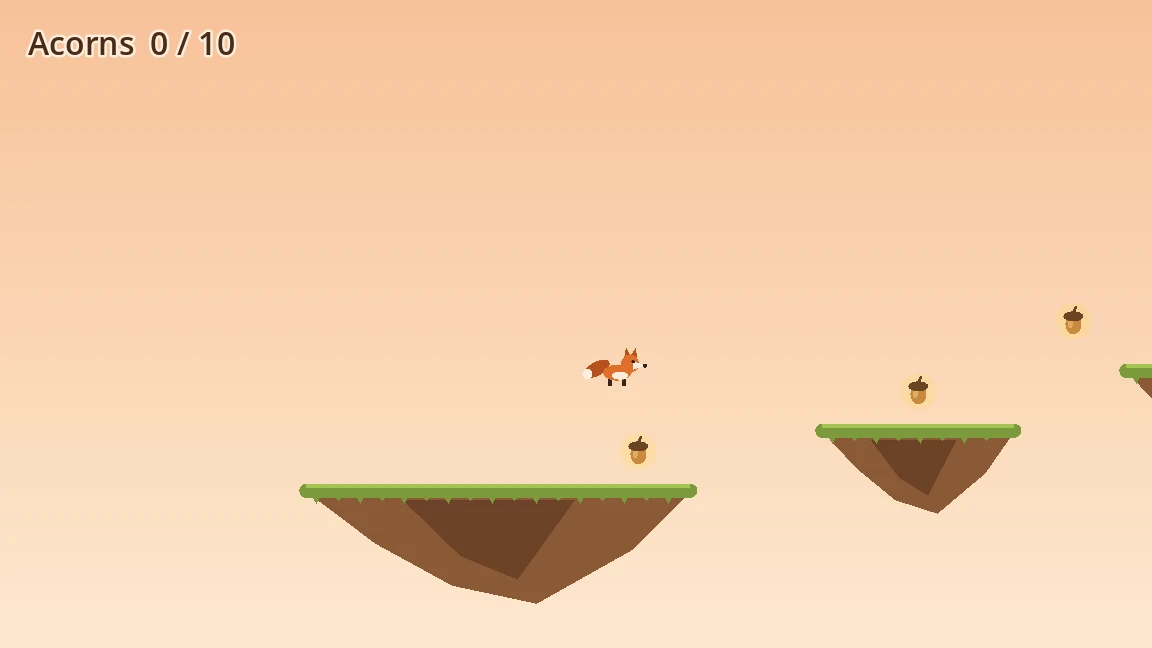
A 140 px jump that peaks after 0.38 s gives a gravity of about 1,939 px/s² and a take-off speed of about 737 px/s. Change either value in the Inspector and the arc stays what you asked for. Falling uses 1.6 times that gravity, so the fox drops faster than it rises, and letting go of Space early keeps 45 per cent of the upward speed, which is the short hop. A coyote time of 0.1 s and a jump buffer of 0.12 s forgive a press that comes a few frames late or early.
It checked its own work, and said what it had not checked
Before handing the game back it checked all seven scripts for GDScript errors and found none, ran the game headless for five seconds with no errors or warnings, and looked at the first frame of a drawn run: the fox on the first island, acorns and the counter on screen. Holding right moved the fox 143 px in 0.53 s.
Its automatic controller check flagged that movement as sideways, because the check expects a top-down game. The report said so and explained why it is the right direction for a side-scroller, rather than quietly passing it.
The last line of the report is the one to look for in any first build: it had not jumped through the level, so it could not yet say every gap and every high acorn is reachable at these settings. That is what your first press of F5 is for.
The second message: a drawn fox
The report ended with three suggested next steps. The first, Draw the fox sprite, is step one of the brief, and we pressed it.
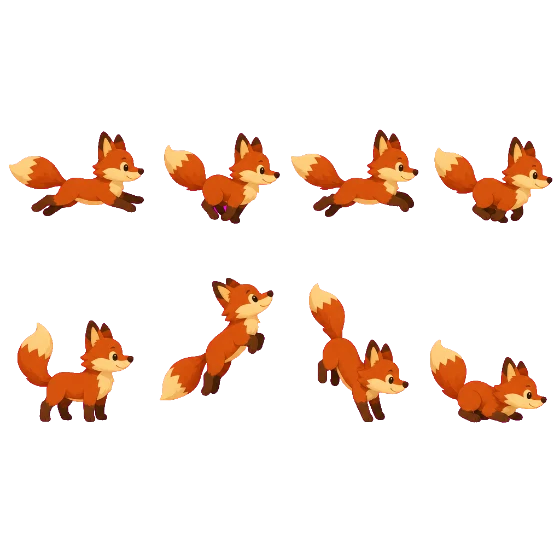
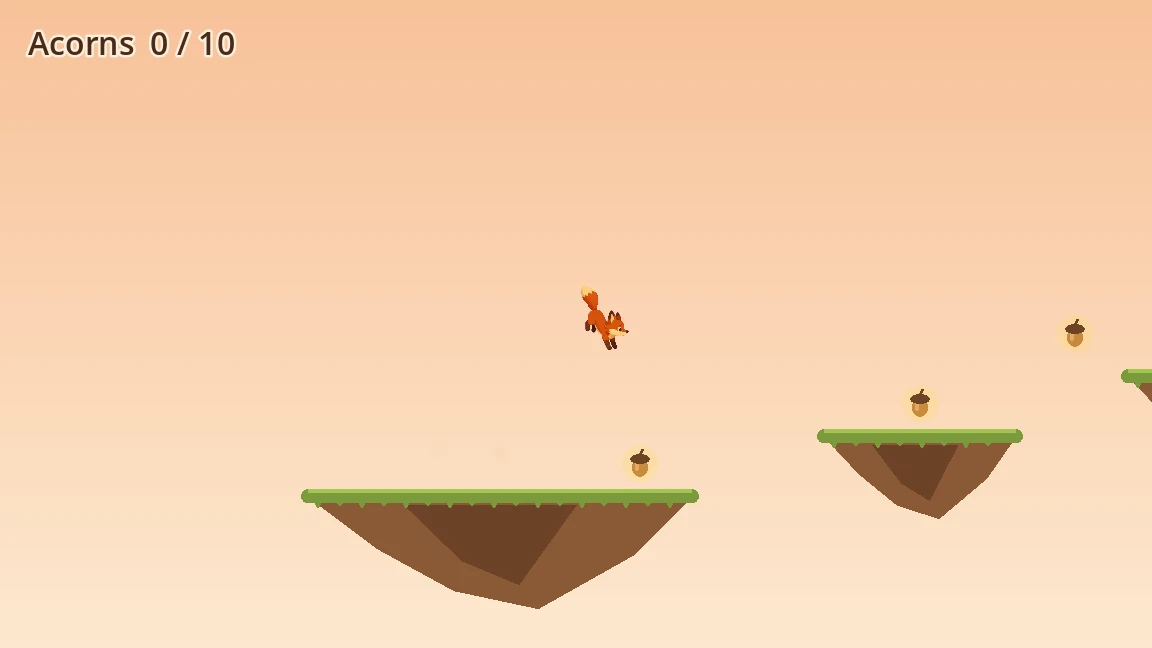
Flockbay generated the fox as one sprite sheet holding every pose, so all the frames share a style, and imported it as a SpriteFrames resource with five animations: a four-frame run at 12 fps, then idle, jump, fall and land. An AnimatedSprite2D replaced the drawn shapes at the same size, so the hitbox and the jump arc did not move, and a CPUParticles2D kicks up dust on take-off and landing. fox_visual.gd now picks the animation from the fox’s velocity and speeds the run cycle up as the fox gets faster.
It ticked step one in the brief, which lives in the project as GAME-BRIEF.md, and again said what it had not done: the jump, fall, land and idle poses are one frame each, and nobody had played the whole level with the new sprite yet.
Try it with your own game
Download Flockbay, choose New project, and describe your game in the Describe the game box. Getting started covers the rest, and Claude Code covers running the chat on your own Claude account, as this one did.