

Publishing a Godot game on Steam: what Shelf-Made Tycoon shipped
Shelf-Made Tycoon came out on Steam on 12 November 2026 for Windows, macOS and Linux. Its project folder keeps everything that went to Valve, so this is the release laid out from it: the build, the depots, the demo and the store art.
- Game
- Shelf-Made Tycoon, Steam app 4325520
- Engine
- Godot 4.7.2 with its official export templates, and GodotSteam
- Platforms
- Windows 64-bit, macOS and Linux x86_64, one depot each, and a demo as its own app
- Store art
- Eleven pieces of store and library art, each made from a frame the game rendered
Export with a preset made for Steam
The Windows build Steam gets is three files: the game’s .exe with its .pck embedded, GodotSteam’s library, and Valve’s steam_api64.dll, about 160 MB in all. The pack inside is 46.6 MB. Fonts are its largest part at 16 MB, because the game ships Chinese and Japanese text, then music and sound at 10.7 MB.
Three settings in the preset matter more than their size suggests:
- The export filter leaves out editor-only GDExtensions. An editor plugin’s native library has no place in a shipped game, and an export copies any GDExtension it packs unless the preset excludes it.
- The preset sets a custom feature,
steam, so the game’s own code can tell a Steam build from a plain one withOS.has_feature("steam"). - Shaders are baked at export. Godot’s shader baker skips a
--headlessexport, so the build is exported with a window open.
One depot per platform
Steam ships each platform as a depot inside the app: Shelf-Made has a Windows depot, a macOS depot and a Linux depot. Each upload is an app build script plus one depot build script per depot, run with Valve’s steamcmd. The build lands on a branch, and setting it live on the default branch is a press in Steamworks.
The Linux build is native x86_64, so a Steam Deck installs it instead of running the Windows build through Proton. During its build review Valve tests every platform the store page lists, so the Linux depot went up after that review had passed; once an app is approved, later builds and platforms need no new review. The macOS build was exported and uploaded from a Mac.
A demo is its own Steam app
Steam gives a demo its own app ID, depot and store art. Shelf-Made’s demo has its own capsule set, the same art with DEMO set under the logo, and its own builds: one that asks the player to wishlist the game, used before release, and one that asks them to buy it, made the default on release day.
Steam capsule art, every size a render of the game
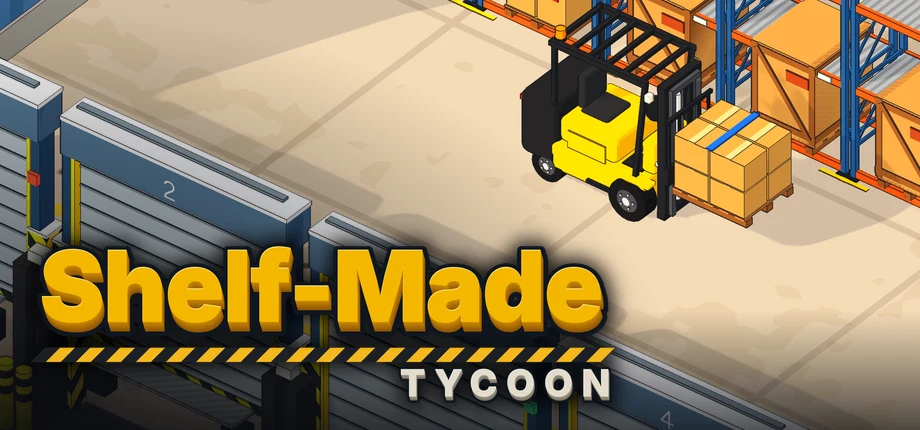
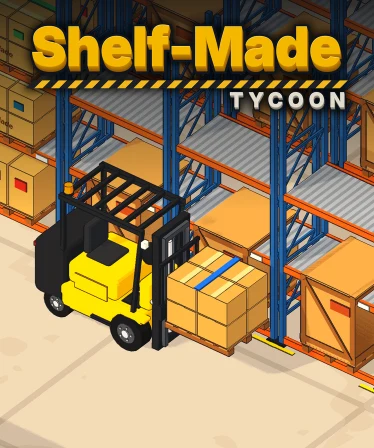
Steam asks for eleven pieces of art at fixed sizes, and none of Shelf-Made’s is painted. The capsules are crops of two 4K key-art frames the game rendered with its HUD hidden, graded once and lettered with the game’s logo. The rest come from other frames of the game, or from the forklift and the wordmark the game draws for its own title screen. One script builds every file.
| Asset | Size | Made from |
|---|---|---|
| Header capsule | 920x430 | The wide key-art frame, cropped |
| Main capsule | 1232x706 | The wide key-art frame, cropped |
| Small capsule | 462x174 | The wide key-art frame, cropped and darkened so the logo reads |
| Vertical capsule | 748x896 | The tall key-art frame, cropped |
| Library capsule | 600x900 | The tall key-art frame, cropped |
| Library header | 920x430 | A copy of the header capsule |
| Library hero | 3840x1240 | A 4K daytime frame of the yard, cropped and not scaled |
| Library logo | 1280 wide, transparent | The wordmark, rendered by the game |
| Page background | 1438x810 | A 1080p night frame of the town, darkened |
| Community icon | 184x184 | The game’s forklift, rendered on a blue tile |
| Client icons | 512 and 256 px, and an .ico | The same tile, which is also the game’s window icon |
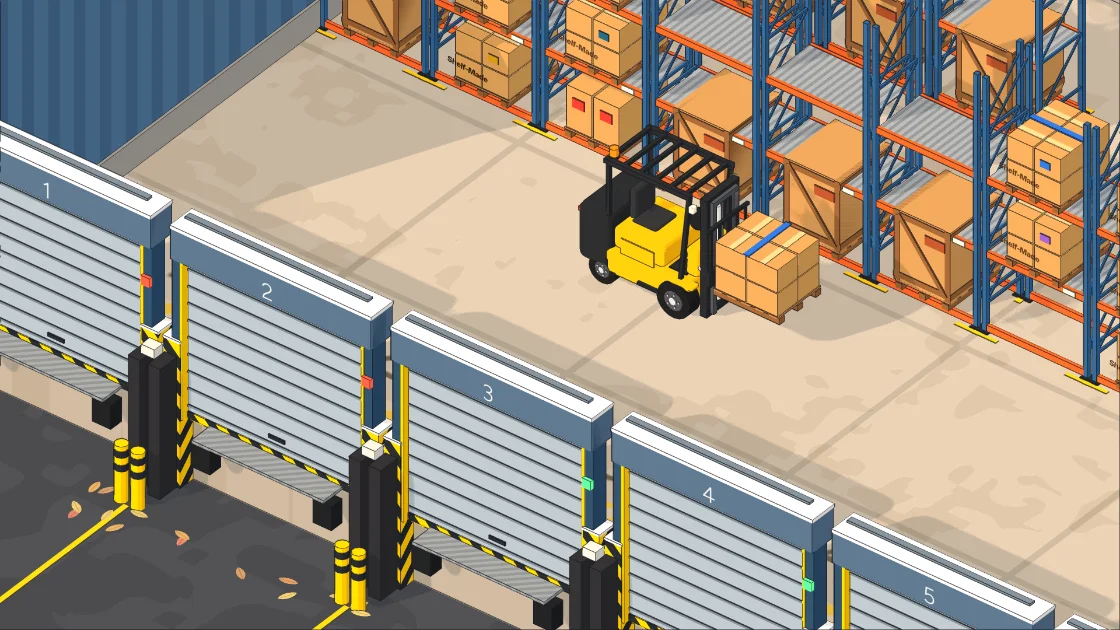
The frame was set up in the running game. Flockbay’s AI sent it two scripts: the first posed the yard’s forklift with a pallet in the aisle, hid the other forklifts and the docked trucks, and filled the empty rack slots with the game’s own pallet prop; the second set the clock to 19:00 for a low autumn sun and held the window at 3840x2160 while it saved the frame. Every capsule cut from it is a downscale, so nothing is upscaled, and the logo laid over it is drawn by the same code as the game’s title card.
The outline shader draws its ink line a fixed number of pixels wide, so for the 4K frame its width was doubled. Scaled down, the line keeps the weight players see in the game.
Screenshots and the trailer come from play
The nine store screenshots are 1920x1080 frames from companies played through the game’s own systems, put up as rendered: no crop, no scale, no paint. They were rendered at twice the window’s resolution and scaled down, after a comment on Reddit pointed out jagged edges, and retaken whenever a shader fix changed how the walls looked.
The trailer follows Valve’s advice for a first trailer: gameplay from the first second, no logo intro, and the logo only at the end. Every shot is a capture of the running game at 1920x1080 and 60 fps on a fixed time step, so the clip is smooth however fast the machine drew. The wide establishing shots hide the HUD, which would cover the town, and the rest keep it.
What to take from it
- Make the store art from the game. A capsule cropped from a real frame never promises a game the screenshots do not show.
- Pose the shot with code. A frame set up by a script can be taken again after every art change.
- Keep editor-only plugins out of the export preset, and bake shaders with a window open.
- Give the demo its own art and its own builds, and plan what it asks the player to do on release day.
Shelf-Made Tycoon is on Steam, and its page here says what the game is.